 PicSift
Every score, explained.
PicSift ranks a pile of photos best-first on your Mac or iPad, then shows its work — six named qualities per shot, priorities you can move, and every model credited in the app.
No. 01 · Model Library
Named models
The hood opens.
Every model, credited
PicSift scores with open research models from Google, Apple and university labs, run on your device through Core ML beside Apple’s own Vision framework. The in-app Model Library lists each model by name with its origin, what it was trained on, its license, and a link to the paper.
Every score, broken out
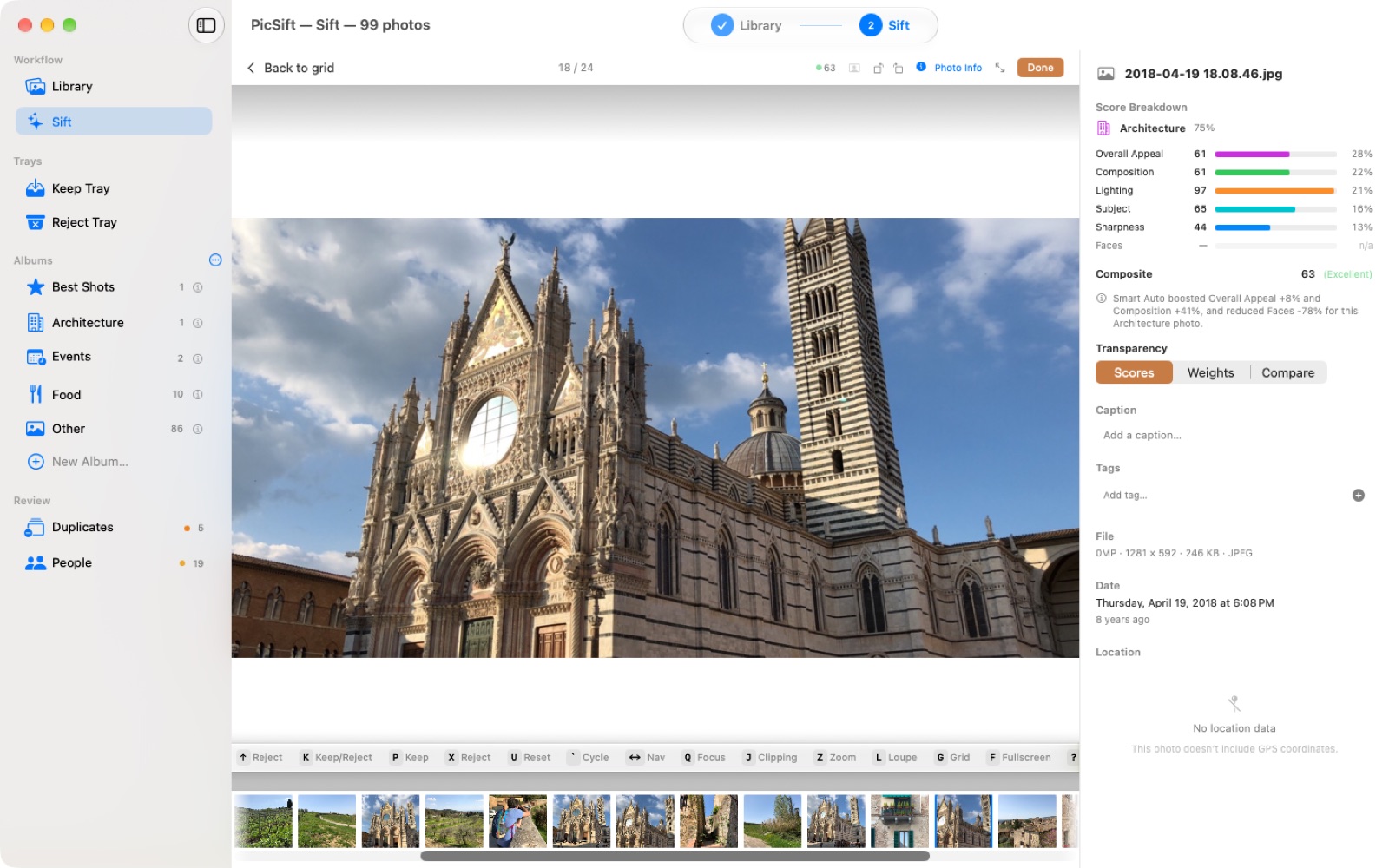
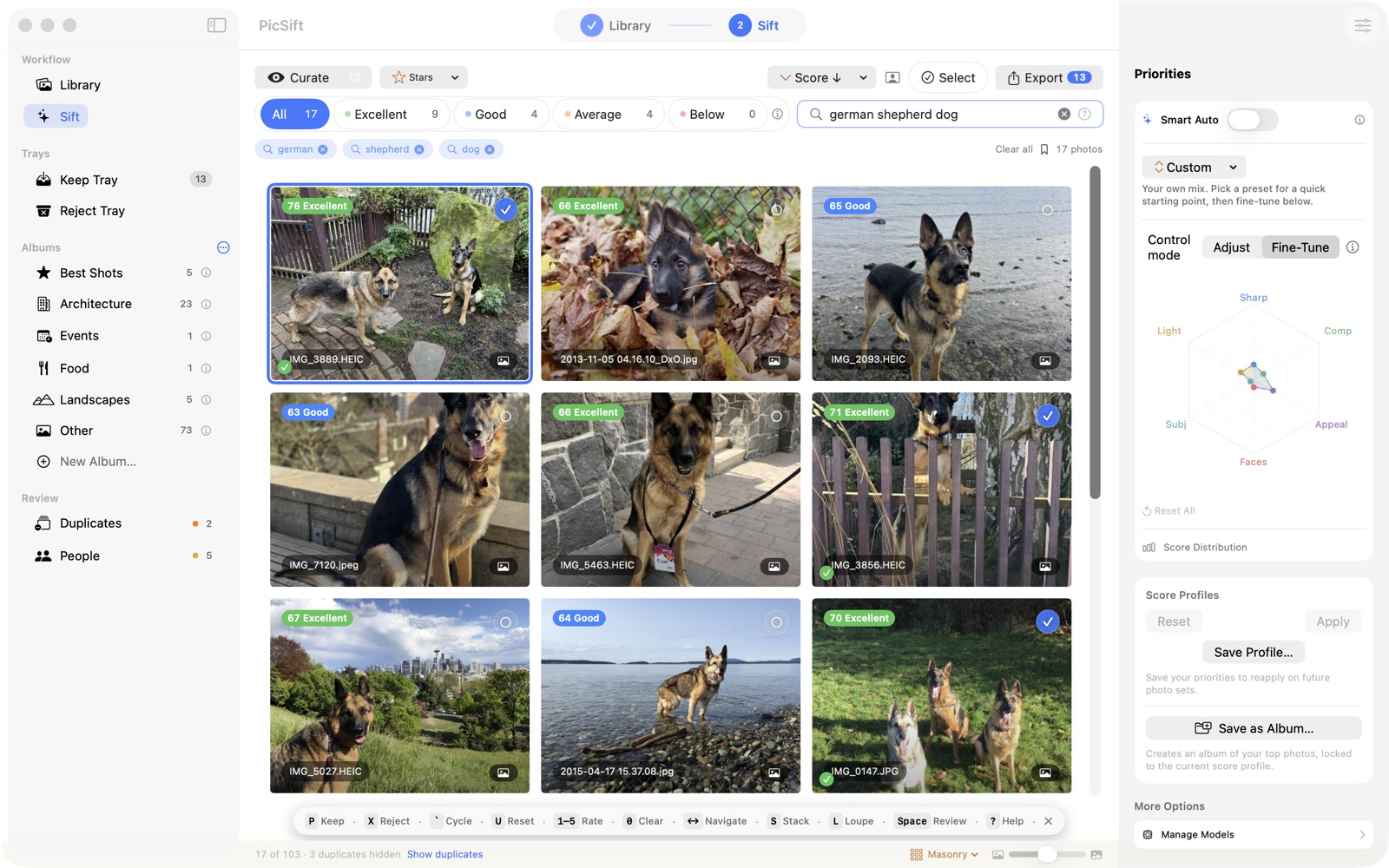
A photo's number is not handed down. Open any frame and the six qualities are listed separately, in plain language, so you can see which one placed it where it is.
Every weight, yours
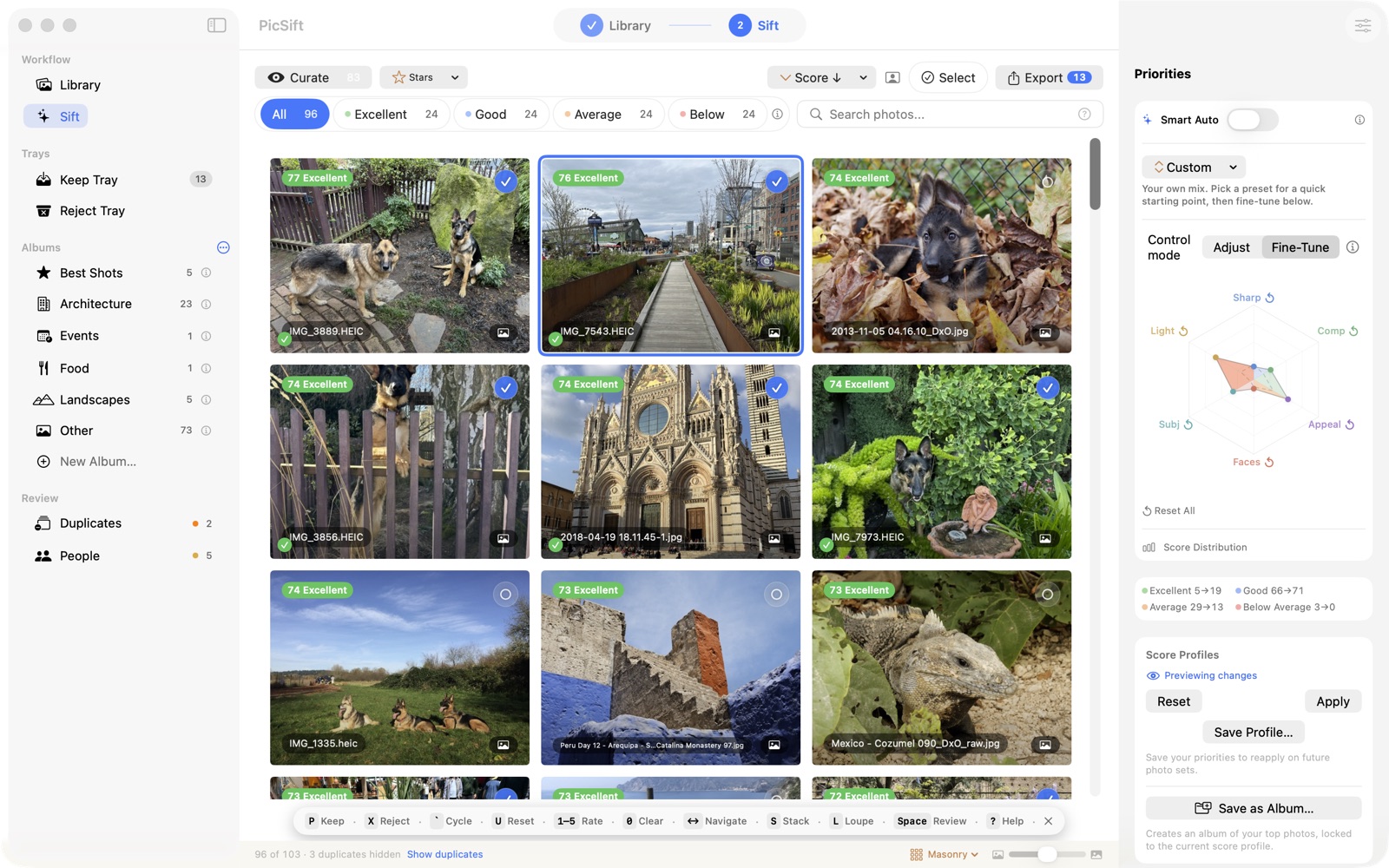
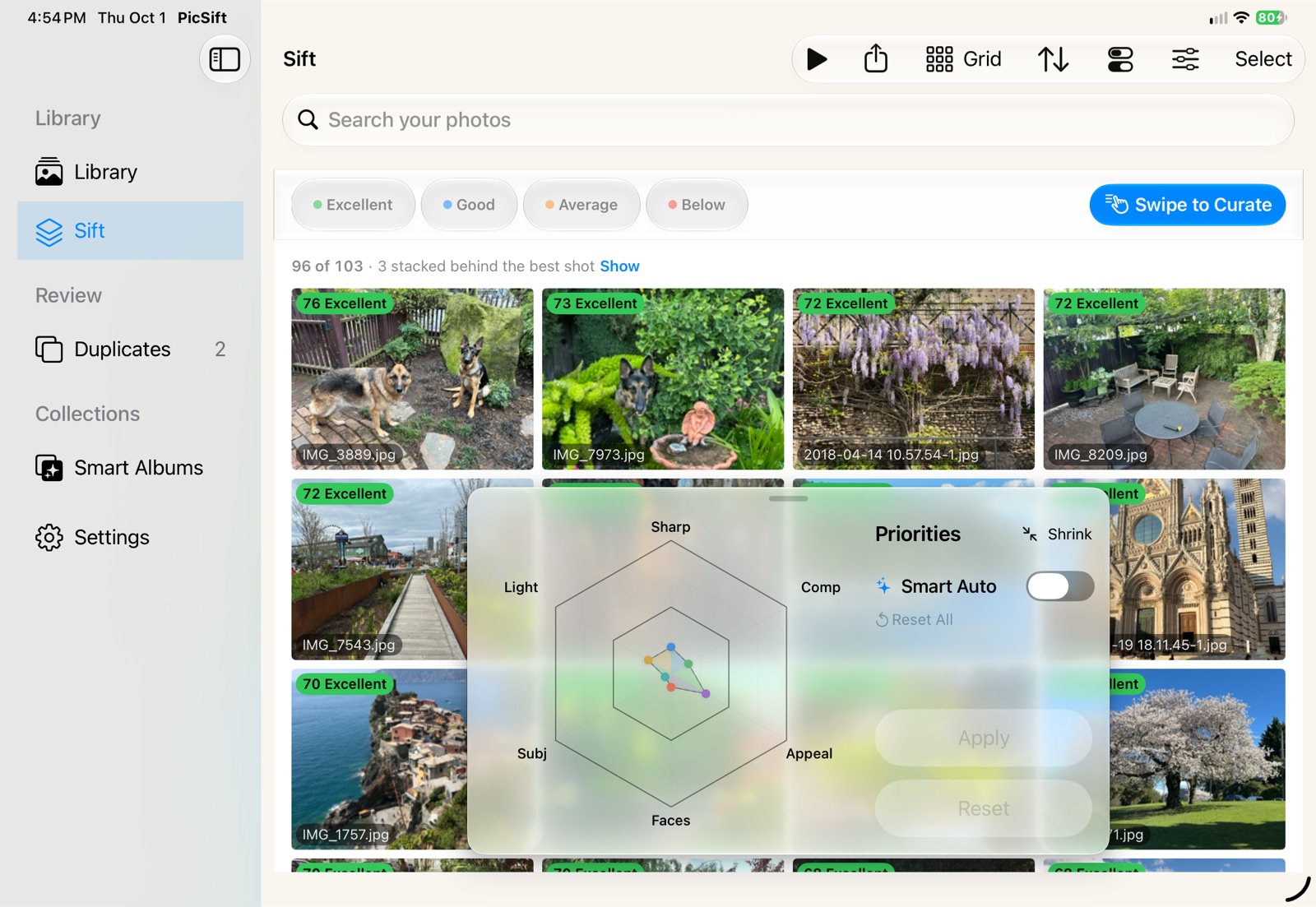
How much each quality counts is a dial, not a secret. Move the priorities and the library re-ranks in front of you, or leave Smart Auto on to tune the mix to each photo’s scene.
No. 02 · Score and sift
Six qualities
Best-first, in one pass.
What is measured
Overall Appeal, Sharpness, Lighting, Composition, Faces and Subject — six independent scores per photo, not one opaque verdict.
What comes back
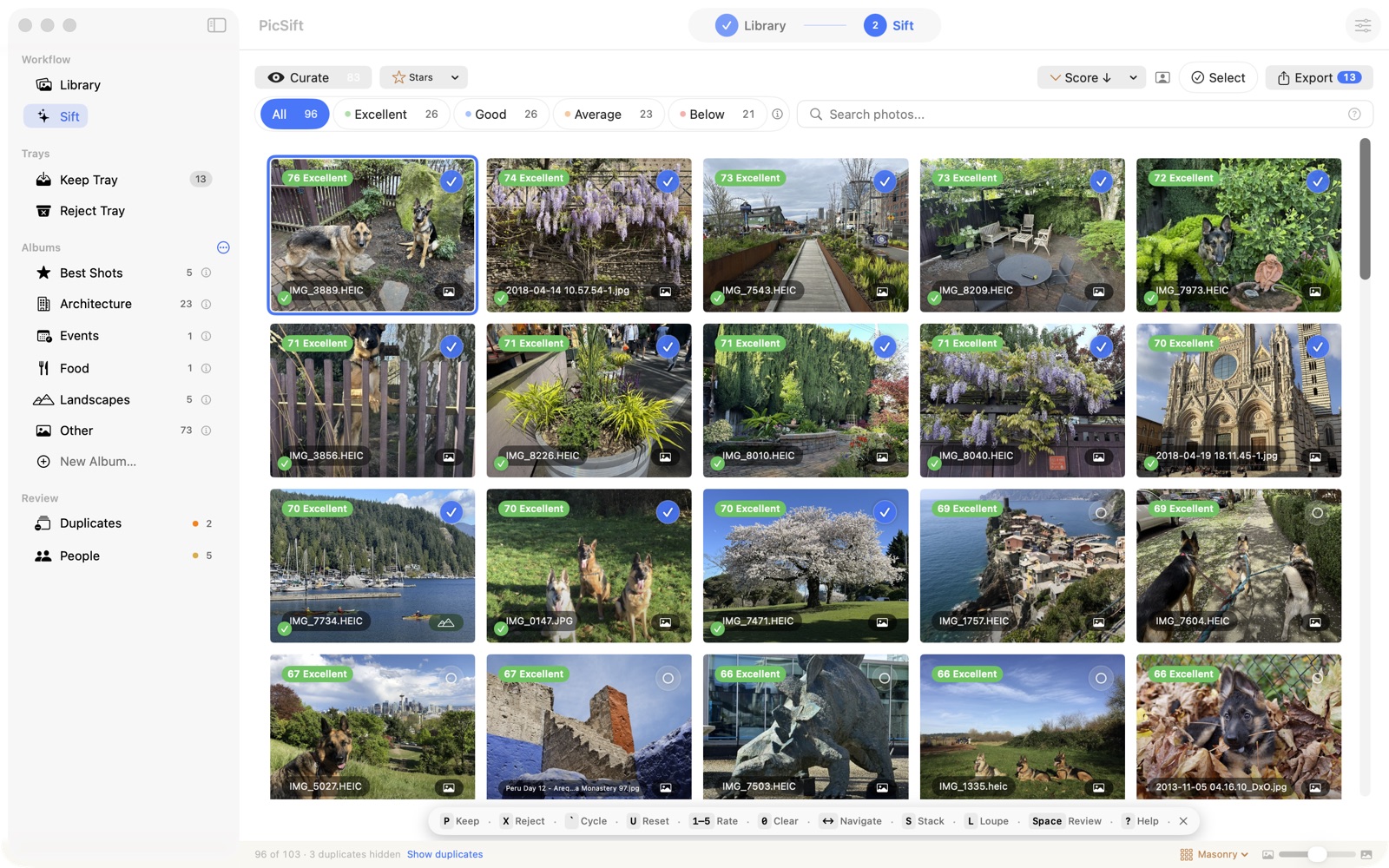
Every shot lands in a tier — Excellent, Good, Average, Below Average — and the whole set arrives sorted best-first, whether it is two hundred frames or a few thousand.
What you do next
Import from a folder, a drive or your Photos library; score; sift best-to-worst, keeping or rejecting; export the keepers to a folder or a Photos album.
No. 03 · Finding things
Search, people, duplicates
No tags, no setup.
Visual Search
Describe what you remember — “kids playing in autumn leaves”, “Seattle skyline at sunset” — and PicSift finds it, with SigLIP 2 running on the device and no tagging beforehand.
People
Face clustering groups the library by person, so you can name the regulars and pull everything they appear in.
Duplicates & albums
Near-identical shots are found and offered together, so you keep the sharpest rather than all five. Smart Albums gather your best work as it is scored.
No. 04 · Photos stay yours
On your machine
Private by default.
Scoring, search, face grouping and duplicate detection all run on your Mac or iPad, using open research models through Core ML and Apple’s Vision framework. There are no accounts. No photos, scores or embeddings are uploaded. There is no analytics and no telemetry, and the diagnostic share is something you trigger and send yourself.
PicSift does not contact any Syrinx Ventures server at all — the only connections it makes are to fetch the current list of models, download the ones you choose, look up place names and draw maps with Apple Maps (which receives a photo’s coordinates, never the photo), and verify your purchase with the App Store. Nothing syncs between your devices: your scores and decisions stay on the machine that made them.
No. 05 · Where it runs
Mac and iPad
One purchase covers both.
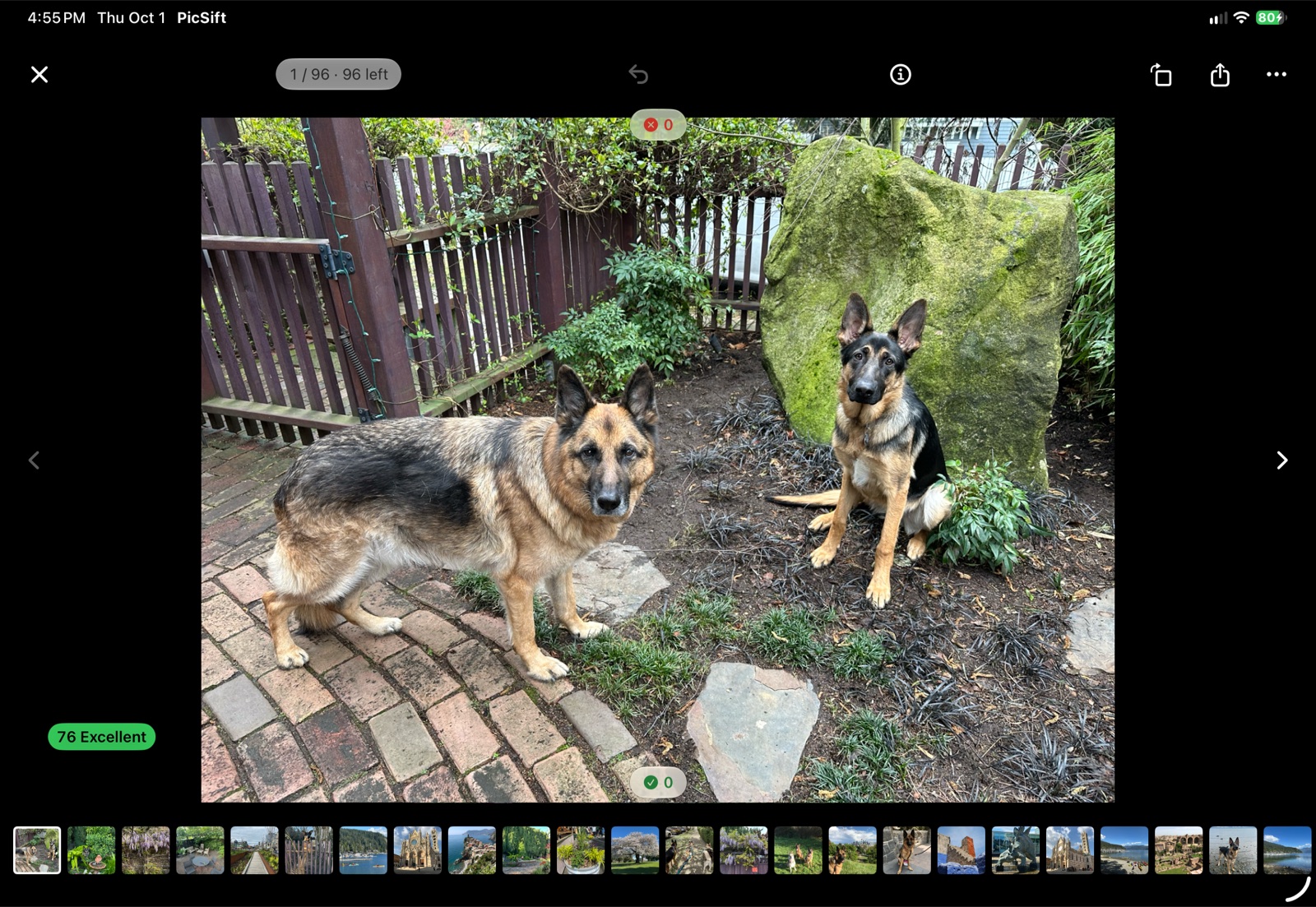
PicSift is on the App Store for Mac and for iPad. It is one app and one purchase: Universal Purchase means buying it on either platform unlocks the other, and Family Sharing is supported.
Finding and exporting your best shots is free. A one-time purchase removes the session and export limits and adds People browsing, advanced search and Smart Album rules. There is no subscription.
Contact
- [email protected] Questions, bugs and feature requests. Replies are usually same-day during the week.
- [email protected] Privacy and data requests.